About MaestroUnite
Intuitive Setup and Control The Roksan and Monitor Audio ‘MaestroUnite’ App revolutionises system setup and audio control, offering consumers a seamless and intuitive way to manage and enhance their high-fidelity audio...
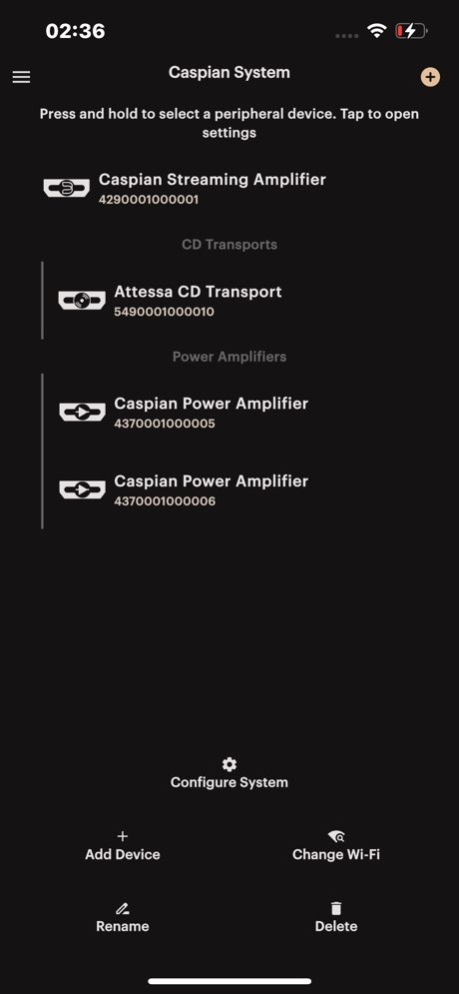
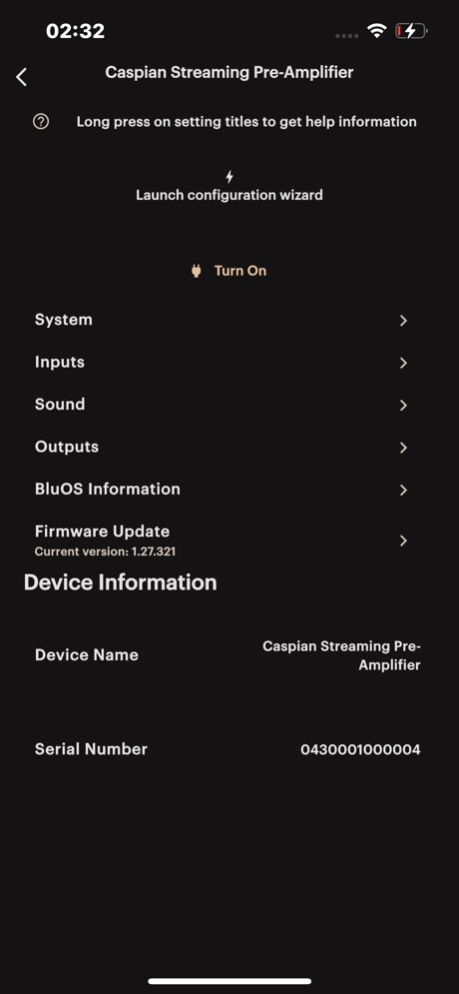
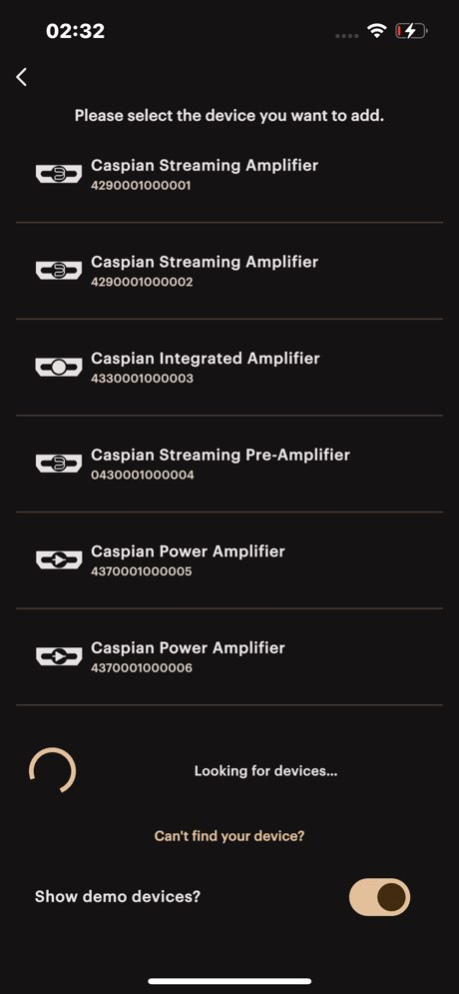
Intuitive Setup and Control The Roksan and Monitor Audio ‘MaestroUnite’ App revolutionises system setup and audio control, offering consumers a seamless and intuitive way to manage and enhance their high-fidelity audio systems. This innovative app enables users to effortlessly explore advanced configurations, customise audio preferences, support Over-The-Air (OTA) updates and build an augmented eco-system of supported Monitor Audio Group products. MaestroUnite - Supports initial setup of the product - Enables the setup of a Wi-Fi connection - Enables firmware updates with latest features and fixes - Enables all compatible products to operate as a single eco-system
Version History Bug fix for Auto Standby feature not always being correctly updated on Caspian units 3.3.2 Jul 15 Minor improvements for Attessa and Caspian Integrated configuration Minor updates for firmware versions on demo devices 3.3.1 Apr 28 Stability improvements for Attessa series. 3.3.0 Apr 10 Fixes an issue where language settings may not persist if app is force closed. Enable HDMI icon changing Limit the range of the Q parameter in Anthra EQ to 0.2...20 and the number of decimal places to 2 Fix overflow of the sliders when using +/- buttons 3.2.1 Mar 9 This release fixes an issue where Anthra Subwoofer Auto On and EQ settings were not persisting. 3.1.8 Feb 20 - Support for Caspian Power Amplifier and Caspian 4G Streaming Pre-Amplifier - Multi-language support: German, Spanish, French, Polish, Russian, and Chinese - Simplified system management and enhanced power amplifier controls - Stability and UI/UX improvements 3.1.5 Feb 4 Caspian Streaming Amplifier support. Bug fixes, 2.1.19 10/04/2024 • Add support for new Monitor Audio Anthra Subwoofer Series products. • Set up a new system containing your Anthra subwoofer then access the settings, such as volume, EQ presets, standby modes, firmware updates, and more. • Improvements to user experience during system setup for Roksan Attessa systems. • If the Bluetooth connection is lost during system setup, you can now retry from where you left off. • Improve Wi-Fi setup experience - Redirected to the page that was used to set up Wi-Fi, rather than always redirecting to the first setup page if an issue is encountered. • When retrying Wi-Fi setup, the already entered credentials are pre-filled into the form. • Various user interface improvements. • Attessa settings menu look and feel has been improved. 2.1.0 08/25/2023 - Allow deletion of systems even when not connected to the system. - Added check to confirm Wi-Fi credentials. - Instigate firmware update on the product as part of the system setup. - Improved error messaging. 2.0.5 07/11/2023 Bug Fixes: - Fixed a bug that allows a user to setup a system with outdated firmware - Fixed location settings bug for Wi-Fi provisioning - Update of Bluetooth that improves reliability New Features: - UI Updates - MaestroUnite themed modals/popups - Support for iOS’ dynamic text scaling accessibility feature - Major overhaul of UI layout across the app - System panel widget with new options: # ‘Change Wi-Fi’ # ‘Rename’ # ‘Delete System’ 1.2.0 10/31/2022 Added features for setting up MastroUnite systems 1.1.2 02/05/2022 1.0.1 08/13/2021
Previous Versions
Here you can find the changelog of MaestroUnite since it was posted on our website on 2023-10-09 12:47:50.
The latest version is 3.3.2 and it was updated on 2026-10-06 14:59:03. See below the changes in each version.
MaestroUnite version 3.3.2
Updated At: 2026-10-06
Changes: Version History Bug fix for Auto Standby feature not always being correctly updated on Caspian units 3.3.2 Jul 15 Minor improvements for Attessa and Caspian Integrated configuration
Minor updates for firmware versions on demo devices 3.3.1 Apr 28 Stability improvements for Attessa series. 3.3.0 Apr 10 Fixes an issue where language settings may not persist if app is force closed.
Enable HDMI icon changing
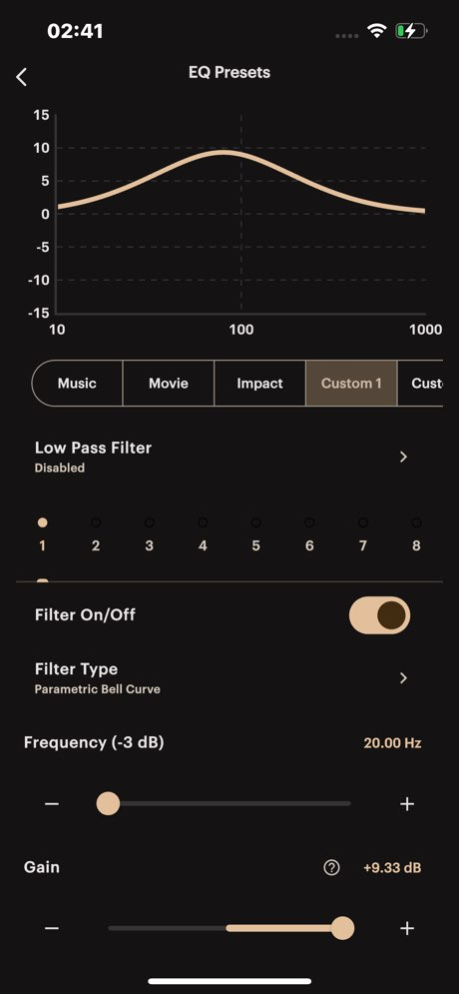
Limit the range of the Q parameter in Anthra EQ to 0.2...20 and the number of decimal places to 2
Fix overflow of the sliders when using +/- buttons 3.2.1 Mar 9 This release fixes an issue where Anthra Subwoofer Auto On and EQ settings were not persisting. 3.1.8 Feb 20 - Support for Caspian Power Amplifier and Caspian 4G Streaming Pre-Amplifier
- Multi-language support: German, Spanish, French, Polish, Russian, and Chinese
- Simplified system management and enhanced power amplifier controls
- Stability and UI/UX improvements 3.1.5 Feb 4 Caspian Streaming Amplifier support. Bug fixes, 2.1.19 10/04/2024 • Add support for new Monitor Audio Anthra Subwoofer Series products.
• Set up a new system containing your Anthra subwoofer then access the settings, such as volume, EQ presets, standby modes, firmware updates, and more.
• Improvements to user experience during system setup for Roksan Attessa systems.
• If the Bluetooth connection is lost during system setup, you can now retry from where you left off.
• Improve Wi-Fi setup experience - Redirected to the page that was used to set up Wi-Fi, rather than always redirecting to the first setup page if an issue is encountered.
• When retrying Wi-Fi setup, the already entered credentials are pre-filled into the form.
• Various user interface improvements.
• Attessa settings menu look and feel has been improved. 2.1.0 08/25/2023 - Allow deletion of systems even when not connected to the system.
- Added check to confirm Wi-Fi credentials.
- Instigate firmware update on the product as part of the system setup.
- Improved error messaging. 2.0.5 07/11/2023 Bug Fixes:
- Fixed a bug that allows a user to setup a system with outdated firmware
- Fixed location settings bug for Wi-Fi provisioning
- Update of Bluetooth that improves reliability
New Features:
- UI Updates
- MaestroUnite themed modals/popups
- Support for iOS’ dynamic text scaling accessibility feature
- Major overhaul of UI layout across the app
- System panel widget with new options:
# ‘Change Wi-Fi’
# ‘Rename’
# ‘Delete System’ 1.2.0 10/31/2022 Added features for setting up MastroUnite systems 1.1.2 02/05/2022 1.0.1 08/13/2021
MaestroUnite version 3.3.1
Updated At: 2026-07-15
Changes: Version History Minor improvements for Attessa and Caspian Integrated configuration
Minor updates for firmware versions on demo devices 3.3.1 Apr 28 Stability improvements for Attessa series. 3.3.0 Apr 10 Fixes an issue where language settings may not persist if app is force closed.
Enable HDMI icon changing
Limit the range of the Q parameter in Anthra EQ to 0.2...20 and the number of decimal places to 2
Fix overflow of the sliders when using +/- buttons 3.2.1 Mar 9 This release fixes an issue where Anthra Subwoofer Auto On and EQ settings were not persisting. 3.1.8 Feb 20 - Support for Caspian Power Amplifier and Caspian 4G Streaming Pre-Amplifier
- Multi-language support: German, Spanish, French, Polish, Russian, and Chinese
- Simplified system management and enhanced power amplifier controls
- Stability and UI/UX improvements 3.1.5 Feb 4 Caspian Streaming Amplifier support. Bug fixes, 2.1.19 10/04/2024 • Add support for new Monitor Audio Anthra Subwoofer Series products.
• Set up a new system containing your Anthra subwoofer then access the settings, such as volume, EQ presets, standby modes, firmware updates, and more.
• Improvements to user experience during system setup for Roksan Attessa systems.
• If the Bluetooth connection is lost during system setup, you can now retry from where you left off.
• Improve Wi-Fi setup experience - Redirected to the page that was used to set up Wi-Fi, rather than always redirecting to the first setup page if an issue is encountered.
• When retrying Wi-Fi setup, the already entered credentials are pre-filled into the form.
• Various user interface improvements.
• Attessa settings menu look and feel has been improved. 2.1.0 08/25/2023 - Allow deletion of systems even when not connected to the system.
- Added check to confirm Wi-Fi credentials.
- Instigate firmware update on the product as part of the system setup.
- Improved error messaging. 2.0.5 07/11/2023 Bug Fixes:
- Fixed a bug that allows a user to setup a system with outdated firmware
- Fixed location settings bug for Wi-Fi provisioning
- Update of Bluetooth that improves reliability
New Features:
- UI Updates
- MaestroUnite themed modals/popups
- Support for iOS’ dynamic text scaling accessibility feature
- Major overhaul of UI layout across the app
- System panel widget with new options:
# ‘Change Wi-Fi’
# ‘Rename’
# ‘Delete System’ 1.2.0 10/31/2022 Added features for setting up MastroUnite systems 1.1.2 02/05/2022 1.0.1 08/13/2021
MaestroUnite version 3.2.1
Updated At: 2026-03-09
Changes: Fixes an issue where language settings may not persist if app is force closed.
Enable HDMI icon changing
Limit the range of the Q parameter in Anthra EQ to 0.2...20 and the number of decimal places to 2
Fix overflow of the sliders when using +/- buttons
MaestroUnite version 3.1.5
Updated At: 2026-02-04
Changes: - Support for Caspian Power Amplifier and Caspian 4G Streaming Pre-Amplifier
- Multi-language support: German, Spanish, French, Polish, Russian, and Chinese
- Simplified system management and enhanced power amplifier controls
- Stability and UI/UX improvements
MaestroUnite version 2.1.19
Updated At: 2024-10-04
Changes: Oct 4, 2024
Version 2.1.19
Caspian Streaming Amplifier support. Bug fixes,
MaestroUnite version 2.1.0
Updated At: 2023-08-25
Changes: Aug 25, 2023
Version 2.1.0
• Add support for new Monitor Audio Anthra Subwoofer Series products.
• Set up a new system containing your Anthra subwoofer then access the settings, such as volume, EQ presets, standby modes, firmware updates, and more.
• Improvements to user experience during system setup for Roksan Attessa systems.
• If the Bluetooth connection is lost during system setup, you can now retry from where you left off.
• Improve Wi-Fi setup experience - Redirected to the page that was used to set up Wi-Fi, rather than always redirecting to the first setup page if an issue is encountered.
• When retrying Wi-Fi setup, the already entered credentials are pre-filled into the form.
• Various user interface improvements.
• Attessa settings menu look and feel has been improved.
MaestroUnite version 3.1.8
Updated At: 1970-01-01
Changes: This release fixes an issue where Anthra Subwoofer Auto On and EQ settings were not persisting.
Disclaimer
Official App Store Link
We do not host MaestroUnite on our servers. We did not scan it for viruses, adware, spyware or other type of malware. This app is hosted by Apple and passed their terms and conditions to be listed there. We recommend caution when installing it.
The App Store link for MaestroUnite is provided to you by apps112.com without any warranties, representations or guarantees of any kind, so access it at your own risk.
If you have questions regarding this particular app contact the publisher directly. For questions about the functionalities of apps112.com contact us.